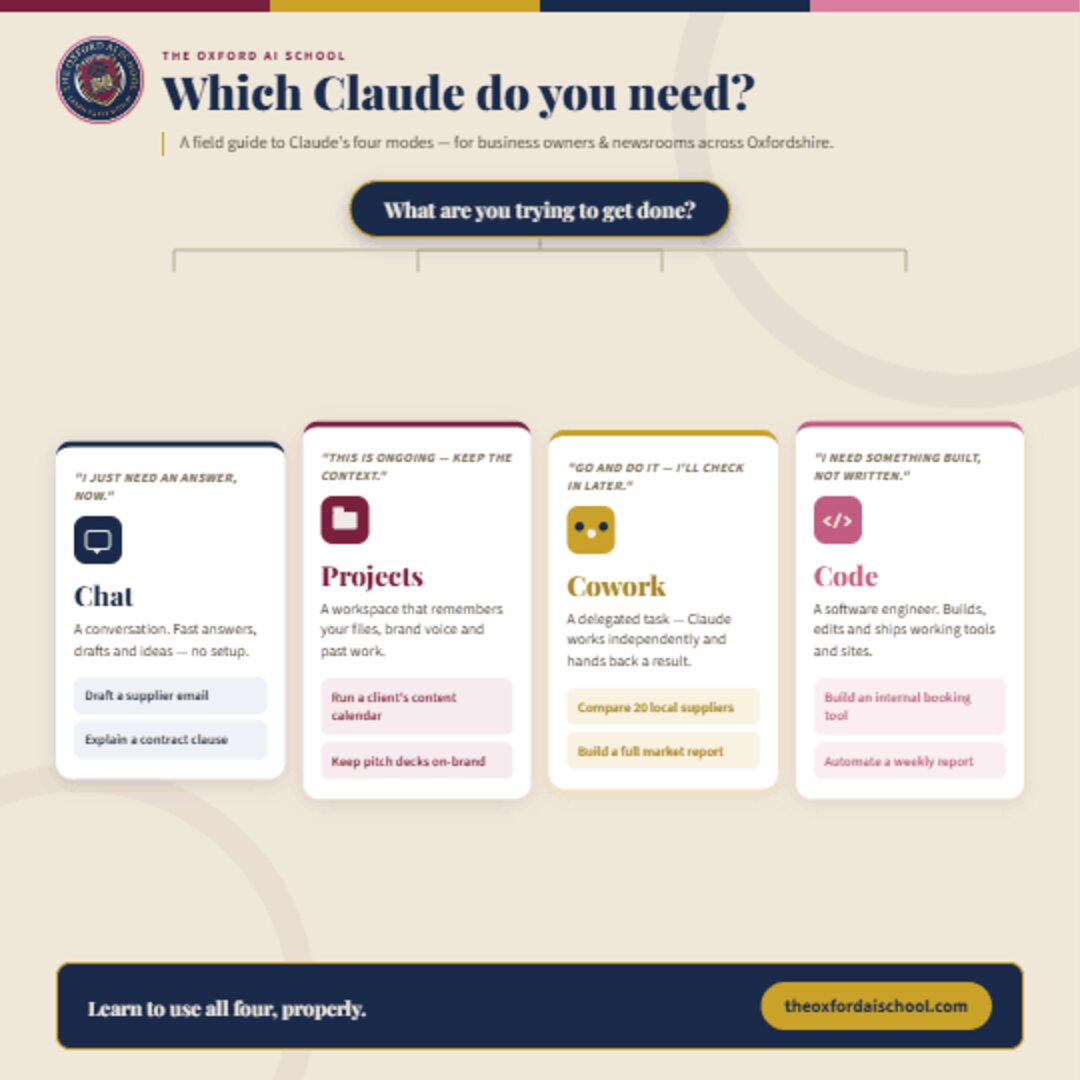
Claude isn’t one product anymore – it’s four. If you’ve opened the app lately and wondered why there’s a ‘Projects’ tab, a ‘Cowork’ option, and something called ‘Code’ that looks nothing like the chat box you’re used to, you’re not alone. Most of the small business owners we work with in Oxford are using maybe one of these four modes, and leaving the other three – and a lot of saved time – on the table.
Each Claude mode answers a different question about how much you want to hand over:
Chat is a conversation – use it for a fast answer or draft. Projects is a workspace – use it for work that keeps coming back. Cowork is a delegated task – use it to hand off a whole job and review the result. Code is a build – use it when you need working software, not just words.
Here’s the distinction that actually matters: each mode maps to a different level of delegation. Chat is a conversation. Projects is a workspace. Cowork is a delegated task. Code is a build. Get that clear and you’ll stop forcing every job through the chat box and start reaching for the right tool first time.
The four Claude modes at a glance
| Mode | What it is | Best used for |
|---|---|---|
| Chat | A plain conversation. Fast answers, drafts and ideas with no setup. | One-off tasks you need answered now – emails, explanations, brainstorming. |
| Projects | A standing workspace that remembers your files, brand voice and past work. | Recurring work where context matters – client accounts, reporting cycles. |
| Cowork | A delegated task Claude completes independently, then hands back. | Whole jobs you want done for review – research, comparisons, first-pass reports. |
| Code | A software engineer that builds, tests and ships working tools. | Turning ‘someone should build this’ into a real tool, script or fix. |
The four modes, one by one
Chat – for ‘I just need an answer, now’
The plain conversation window. No setup, no memory beyond this session unless you tell it to remember. This is where you go for a fast draft, a second opinion, or to think something through out loud.
Best ways to use Claude Chat:
- Draft a supplier email, then refine it with a follow-up instead of starting again.
- Explain a contract clause or a piece of jargon in plain English.
- Brainstorm names, angles or headlines for a new product line.
- Give it a clear role, task, context and format to sharpen every reply.
Projects – for work that keeps coming back
A Project is a standing workspace: upload your brand guidelines, past reports or client files once, and every conversation inside it starts already knowing your context. No more re-explaining your tone of voice or re-uploading the same spreadsheet every Monday.
Best ways to use Claude Projects:
- Run a client’s content calendar with their brand voice loaded once.
- Keep every pitch deck and proposal reliably on-brand.
- Manage a recurring reporting cycle without re-uploading source files.
- Give a whole team one shared, context-rich workspace to work from.
Cowork – for handing off the whole task
This is delegation, not conversation. You describe the outcome you want, Claude goes away and works through the steps independently – researching, comparing, drafting – and comes back with a finished result for you to review, rather than a reply for you to react to.
Best ways to use Claude Cowork:
- Compare twenty local suppliers on price and terms in one go.
- Build a full market report from a clear, detailed brief.
- Pull together a first-pass business plan you can then sharpen.
- Spell out the outcome and the constraints up front, then review what comes back.
Code – for when you need something built
Claude’s software engineer. It doesn’t just write about a solution – it builds, tests and ships one: a working internal tool, an automated script, a fix to something that’s broken. This is the mode for turning ‘someone should build this’ into something that actually exists.
Best ways to use Claude Code:
- Build an internal booking or stock tool without hiring a developer.
- Automate a weekly report that currently eats an afternoon.
- Fix a clunky spreadsheet process that keeps breaking.
- Describe the job in plain English – you don’t need to be technical to start.
So which Claude should you use?
Ask yourself one question: do I want a conversation, a workspace, a delegated task, or a build?
- A conversation – you want to think, draft or get an answer now → Chat.
- A workspace – the work is ongoing and your context matters → Projects.
- A delegated task – you want the whole job done for review → Cowork.
- A build – you need something that actually works, not words → Code.
Do I want a conversation, a workspace, a delegated task, or a build? That’s the whole decision.
The mistake we see most often is running everything through Chat, then wondering why AI feels like more effort than it saves. The moment you match the mode to the job – loading a Project for recurring work, delegating a research slog to Cowork, letting Code build the tool you keep wishing you had – the time savings stop being marginal and start being obvious.
Frequently asked questions
What are the four Claude modes?
Chat is a plain conversation for fast answers and drafts. Projects is a standing workspace that remembers your files, brand voice and past work. Cowork is a delegated task where Claude works independently and hands back a finished result. Code is a software engineer that builds, tests and ships working tools and sites.
Which Claude mode should I use?
Match the question to the mode: a conversation means Chat, a reusable workspace with your context loaded means Projects, a whole task handed off for review means Cowork, and something actually built – a tool or script – means Code.
What is the best way to use Claude Chat?
Use it for one-off tasks where you need an answer now – drafting a supplier email, explaining a contract clause, or brainstorming names. Give it a clear role, task, context and format, and treat replies as a back-and-forth rather than a single request.
What is the best way to use Claude Projects?
Use it for work that keeps coming back. Upload your brand guidelines, templates, past reports and client files once, and every conversation in the Project starts already knowing your context – so you never re-explain your tone or re-upload the same spreadsheet.
What is the best way to use Claude Cowork?
Use it to hand off a whole task. Describe the outcome you want in detail, let Claude research, compare and draft independently, then review the finished result. It suits comparing many suppliers, building a market report, or producing a first-pass business plan.
What is the best way to use Claude Code?
Use it when you need something built rather than written. It writes, tests and ships working software – an internal booking tool, an automated weekly report, or a fix to a broken process. Reach for it to turn ‘someone should build this’ into something real.

The Oxford AI School helps business owners, teams and individuals across Oxfordshire learn to use AI tools like Claude in a way that’s practical, fun, easy and relevant.
Want your team using all four modes properly? Explore our AI training for business, or book a free 10-minute intro call to talk it through.