
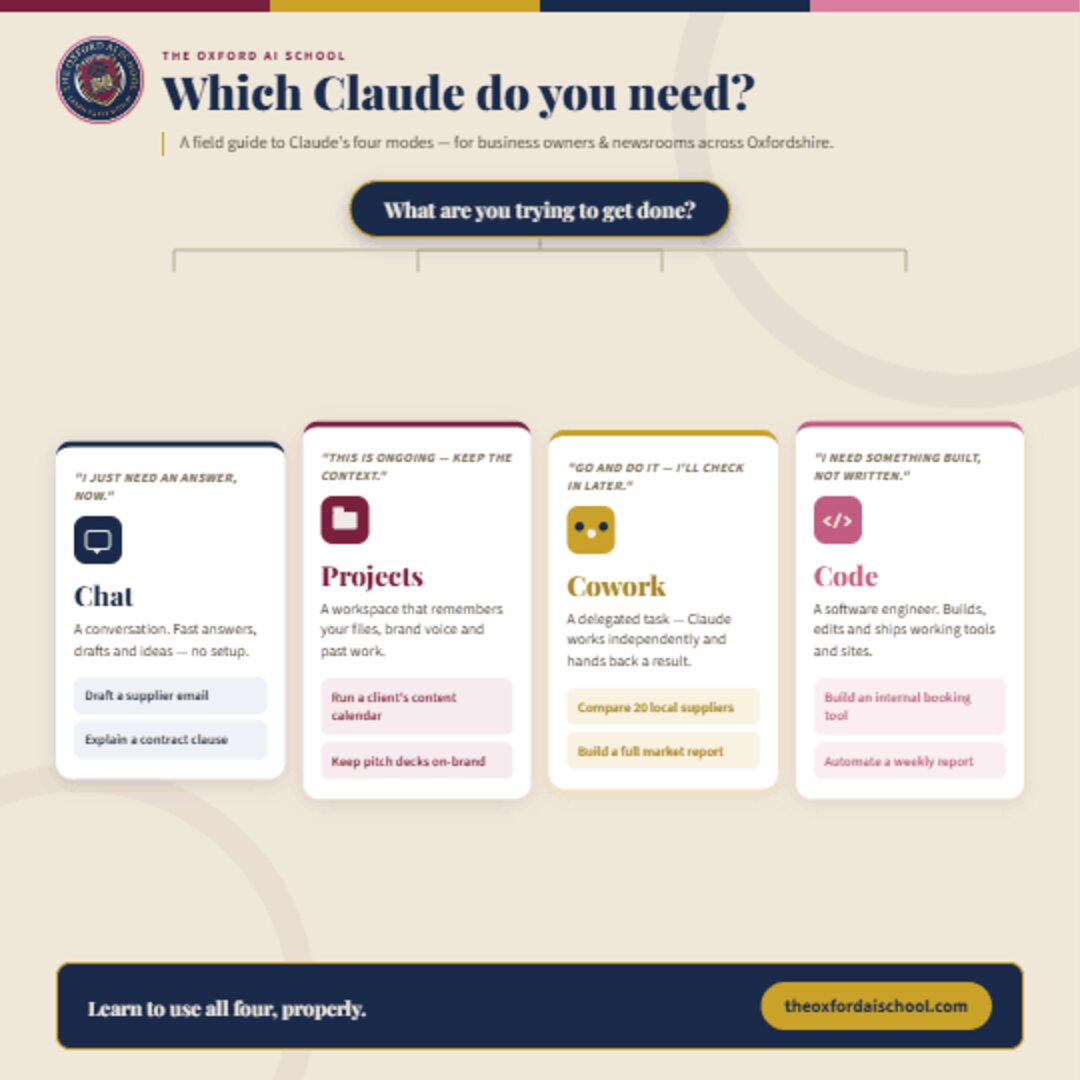
Claude vs ChatGPT, in short
Neither is simply better. ChatGPT has the wider feature set, built-in image generation, a mature voice mode and the biggest ecosystem. Claude, made by Anthropic, is usually preferred for natural writing, long documents and coding.
- Want one tool, want to make images, want the biggest ecosystem? Start with ChatGPT.
- Write a lot, work with long documents, care how natural it sounds? Start with Claude.
- Serious about this? Learn both. Knowing which to reach for is a skill in itself.
- Both cost roughly the same, and both have a usable free tier to test with.
The short answer, before the detail
They are both excellent. They are good at slightly different things. I train people on both most weeks, and the number of times the "wrong" choice has actually held someone back is approximately zero. What holds people back is using either one badly, which is a prompting problem, not a product problem.
That said, the differences are real and worth knowing, so here they are without the leaderboard obsession.
Claude vs ChatGPT at a glance
| What you care about | ChatGPT (OpenAI) | Claude (Anthropic) |
|---|---|---|
| Best known for | The household name. Widest feature set and the biggest user base. | Natural writing, long documents and careful reasoning. |
| Writing and tone | Fast and confident, occasionally a bit generic until you push it. | Often reads as more natural and human out of the box. |
| Images | Yes. Strong built-in image generation, home of the caricature trend. | No native image generation. |
| Coding | Strong, with Codex for full projects. | Widely rated top-tier, with Claude Code for developers. |
| Long documents | Handles large amounts of text well. | Very comfortable with long files and detailed analysis. |
| Browsing and agents | ChatGPT with the Atlas browser and agent mode. | Browser use and Claude Code for hands-on tasks. |
| Voice mode | Mature and genuinely useful for talking things through. | More limited. |
| Free tier | Generous free tier to get started. | Free tier available with usage limits. |
| Typical cost | Around £20 a month for the main paid plan. | Around £15 to £18 a month for the main paid plan. |
How to read that table
Every row moves. Both companies ship constantly, and any claim about which model is "smarter" this week has a shelf life of about a fortnight. What does not move is the shape of each tool: ChatGPT is the broad, consumer-friendly everything-machine with images and voice; Claude is the writer's and developer's tool with a longer attention span. Pick on shape, not on this month's benchmark.
Where ChatGPT wins
Images, and the fun that gets people started
ChatGPT generates images natively and Claude does not. That single line settles a lot of decisions. If you want a caricature for your LinkedIn banner, a mock-up for a pitch, a poster for the shop window or a quick illustration for a deck, ChatGPT is the one to open. It is also the home of the caricature craze, which is the most fun most people have with AI in their first week, and a genuinely good way to learn how prompting works.
Voice mode and the biggest ecosystem
ChatGPT's voice mode is mature and unexpectedly useful for thinking out loud on a walk or rehearsing a difficult conversation. Around it sits the widest set of extras: custom GPTs, Projects, the Atlas browser, Codex, and the sheer weight of tutorials, templates and colleagues who already use it. If you want one tool and one learning curve, this is the safer default.
The free tier that actually gets used
ChatGPT's free tier is generous enough that a whole team can try it before anyone approves a budget. That matters more than it sounds: adoption usually starts with one curious person, not a procurement decision.
Where Claude wins
Writing that does not sound like a robot wrote it
Claude tends to produce prose that reads as more natural and human without much pushing. For anyone whose work is judged on how the words land, that difference is the whole ballgame. Ask both to rewrite the same awkward paragraph and the gap is usually visible in one pass.
Long documents and detailed analysis
Claude is very comfortable with long files: contracts, reports, board packs, transcripts, research bundles. If your day involves reading things that would take a human an hour, this is the reason people switch. Add Projects and you have a working set of documents rather than a chat.
Coding, and Claude Code for real projects
Claude is widely rated top-tier for code, and Claude Code lets developers work across a whole repository rather than pasting snippets back and forth. If your team ships software, this is worth a proper trial. We teach it directly in Introduction to Claude Code and Advanced Claude Code.
So which should you pick? Choose by the job, not the brand
Forget which model tops a leaderboard this week and ask what you actually do all day. Five situations cover almost everyone I train.
Five common situations, and what I would open
If you write for a living
Start with Claude for drafting and editing, keep ChatGPT for images and research. Most writers I train end up here.
If you run a small business and want one tool
ChatGPT. Broadest coverage, images included, and the most colleagues and tutorials to lean on when you get stuck.
If your team ships software
Trial Claude Code and Codex on your own repository for a fortnight. Ignore benchmarks, measure merged pull requests.
If you read long documents all day
Claude, with Projects set up per client or per matter. This is the clearest single-tool win of the four.
If you are nervous and just want to start
Either. Genuinely. Open the free tier of one of them tonight and give it a real job from your actual week.
What about cost, and can you use both?
The mainstream paid plans land at roughly £15 to £20 a month each, with team and business tiers above that. Both have a free tier good enough to test with. If AI is doing real work for you, running both costs less than one lunch out a month and removes the anxiety of having backed the wrong horse.
Two practical notes. First, keep your accounts tidy: know which tool holds which project, or you will lose work in a chat you cannot find. Second, whichever you choose, get the data settings right. On a free personal account, treat everything you type as potentially non-private. On a paid business or team plan, your data is not used for training. Read how to keep information safe using AI tools before your team pastes a client list into anything.
How we teach both at The Oxford AI School
We are deliberately tool-agnostic. In Basic AI Training people meet ChatGPT and Claude side by side on their own work, and by the end of the morning they can tell you which one they would open for a difficult email, a 60-page report or a poster for the window. That judgement is the actual skill. The subscription is just the invoice.
If you are still deciding at a company level, the wider comparison in which AI tool should my company start with covers Gemini, Copilot and Perplexity too.
Claude vs ChatGPT: Which Should You Actually Use?: frequently asked questions
Is Claude better than ChatGPT?
Neither is simply better. ChatGPT has the wider feature set, built-in image generation and the household name. Claude, made by Anthropic, is often preferred for natural writing, long documents and coding. Most people who use AI seriously end up using both and picking the right one for the job.
Which is better for writing, Claude or ChatGPT?
Claude tends to read as more natural and human out of the box, which is why a lot of writers prefer it for drafting and editing. ChatGPT can match it, but you usually have to push it harder on tone. If your work lives or dies on how the words sound, try Claude first.
Which is better for coding, Claude or ChatGPT?
Both are strong and the ranking moves with every release. Claude is widely rated top-tier for code and has Claude Code for developers working in a real project. ChatGPT is also strong and has Codex, its own coding agent. If your team writes software, trial both on your actual codebase rather than trusting a benchmark.
Can Claude generate images?
No. Claude has no native image generation, so if you want caricatures, posters, mock-ups or illustrations, ChatGPT is the one to open. Claude can read and analyse images you upload, it just does not create them.
Is Claude or ChatGPT better for long documents?
Claude is very comfortable with long files and detailed analysis, and that is one of the most common reasons people switch to it. ChatGPT handles large amounts of text well too. For heavy contract, report or transcript work, most people I train settle on Claude.
How much do Claude and ChatGPT cost?
The mainstream paid plans for both sit at roughly £15 to £20 a month for individuals, with team and business plans above that. Both offer a free tier with usage limits, which is enough to test whether the paid plan will pay for itself. In practice the cost is less than a couple of coffees a month each.
Should I use both Claude and ChatGPT?
If you use AI for real work, yes. Plenty of people I train keep both open: ChatGPT for images, voice and its wider ecosystem, Claude for writing and long documents. Knowing which to reach for is a genuine skill and takes about a week of deliberate use to develop.
Is Claude safer than ChatGPT for business data?
Both offer business and team plans where your data is not used to train the model, and both are far safer than a free personal account. The bigger risk is not the vendor, it is the habits: what your people paste in, on which account. Fix that with a short policy and some training, not by switching logos.

Harry Lang runs The Oxford AI School, teaching teams and businesses the basics of AI in a fun, easy and practical way. A marketing leader turned AI trainer, he can be reached at Learn@TheOxfordAISchool.com.
Practical ChatGPT training for you or your team
The Oxford AI School delivers plain-English AI training in Oxfordshire and London, across the UK, and live online for teams in the USA and other international markets. Sessions cover prompting, checking output, data safety, images, agents and the tools your team already has open.
Where teams usually start
Basic AI Training
Learn prompting, checking, data safety and practical everyday use in a morning.
Explore this trainingAI Basics Deep Dive
Go further on prompting, projects, images and research with hands-on practice.
Explore this trainingWhich AI Tool to Start With
Compare ChatGPT with Claude, Gemini, Copilot and Perplexity for your business.
Explore this trainingAI Policy Workshop
Set clear rules for safe ChatGPT use before your team pastes something it shouldn't.
Explore this trainingThe ChatGPT series
Four plain-English guides to the questions people actually type into Google and ChatGPT about ChatGPT.
Learn both properly, in one morning
We teach individuals and teams how to use ChatGPT and Claude side by side, so your people know which one to open for the job in front of them.
Book a call