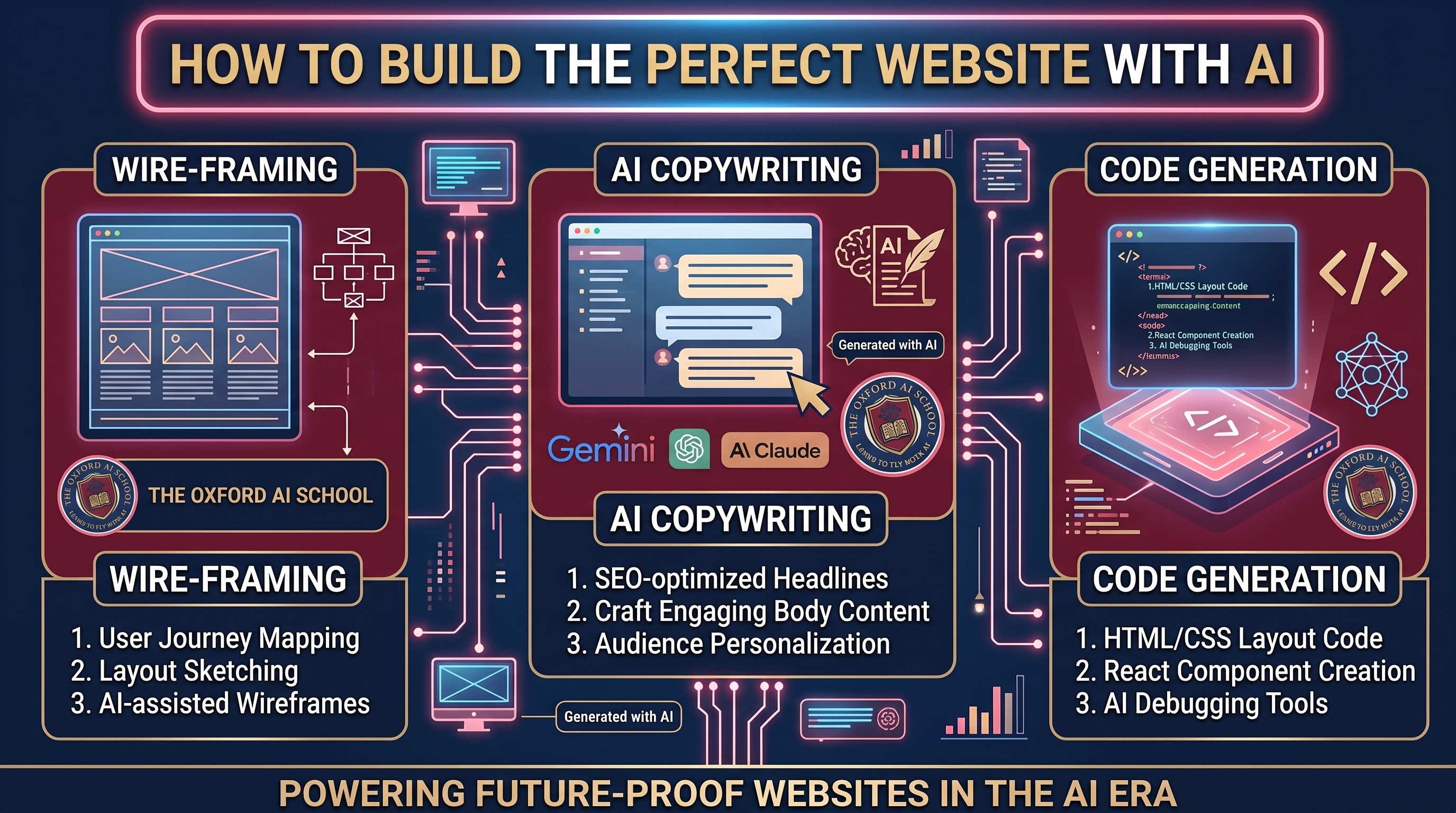
You do not need a developer, a designer, or a five-figure budget. In half a day your team goes from a blank screen to a real website, built with Claude and published on Netlify. AI does the heavy lifting. You make the calls, and you keep the keys.
Building a website with AI means using tools like Claude to plan, write, design and optimise a proper website, and a host like Netlify to publish it, all without writing code or hiring an agency.
Most businesses put their website off for years. It feels expensive, technical and faintly terrifying. It is none of those things any more.
In this half-day module your team learns how to build a real website from start to finish with AI at your side. We begin with the one question most people skip: what is the site actually for. From there we plan your pages, write your content in your own voice, design something that looks the part, and make sure it works just as well on a phone as on a laptop.
You work in Claude, which turns a plain-English brief into structure, copy, images and finished pages, and you publish on Netlify, which puts the site live at a real address in seconds and lets you update it whenever you like. Two tools, start to finish, so nobody leaves juggling six logins they will never open again.
Then we get you found. You will learn the basics of SEO for Google, and GEO for the AI answers your customers now read first, so your business shows up when it matters. Finally we cover going live and keeping the site fresh, so you are never waiting on someone else to change a word.
It is built for people with no coding or design experience. If you can write an email, you can build a website. This module shows you how.
Same goal, a website that earns its keep. One path means briefs, quotes and a lot of waiting. The other puts the tools in your hands and gets you live.
You hire an agency or wrestle a template for weeks, pay for every change, and still end up with a site that sounds like everyone else's. When you want a tweak, you send an email and wait.
You plan, write, design and optimise with Claude at your side, and publish on Netlify in seconds. You keep control and you keep the login. You can change a word at eleven at night without emailing a soul.
Eight practical sessions that walk you from a blank page to a live website, with a proper break in the middle. Around three and a half hours, start to finish, and you are hands on for most of it.
Get clear on what the site is for before you build a single thing.
The simple structure that stops a website turning into a maze.
Words and images that sound like you, written in minutes.
Making it look the part without a designer.
The difference between a pretty site and one people can actually use.
Because most of your visitors are on a phone.
Getting found on Google, and inside the AI answers people now read first.
Going live, and keeping it alive.
Anyone who needs a website and does not want the hassle. You do not need to be technical. You do not need a budget for an agency. If you can write an email and follow a few steps, you and your team can build a website you are proud of. The people who get the most from it tend to be the ones who have been meaning to sort their website out for a year and never quite started.
Your objectives, your site map and your page list, mapped out and ready to build. No more staring at a blank screen.
Your key pages drafted with Claude in your own voice, images to match, and the whole thing published on Netlify at a real address before you leave.
The know-how to publish, update and improve the site yourself, so you never pay someone else to change a word again.
A quick starter for anyone building a site with AI. Ten things that turn a blank screen into a website that works. We go far deeper on the day.
Combine the Build Your Perfect Website With AI module with consultancy from Harry Lang and you can build your new fully customised, secure and SEO/GEO optimised site together, from the first plan to the day it goes live, for under £5,000. Pair it with AI × Brand Guidelines and you get the best value brand guidelines and website in one joined-up project.
Designed around your brand, your customers and your goals. No templates, no themes everyone else is using.
Hosted on Netlify with HTTPS, no plugins to patch and nothing for hackers to poke at.
Built to rank on Google and to be understood, trusted and cited by ChatGPT, Claude, Gemini and Perplexity.
Your team learns how it works as we build, so you can update it yourself without an agency retainer.
The questions people ask us most before they book this module.
It is a hands-on half-day practical team module that walks you through building a proper website with AI, without coding or hiring an agency. You cover website objectives, planning your site map, content creation, page design, UX and UI, optimising for mobile and web, SEO and GEO search optimisation, and publishing and updating. You use Claude to plan, write and design, and Netlify to publish. You leave with a clear plan, drafted content and images, and the confidence to build and run the site yourself.
No. If you can write an email and follow a few steps, you can do this. The module starts in plain English and lets AI handle the technical and design heavy lifting while you make the decisions.
Claude and Netlify. Claude plans your structure, writes your copy in your voice and builds the pages themselves. Netlify hosts and publishes the site, gives you a free address to start with, connects your own domain when you are ready and puts a new version live in seconds. You do not need paid accounts to get going. If you want to go deeper on Claude afterwards, the Claude Code Pathway picks up where this leaves off.
You will leave with your objectives set, your site map planned, key pages drafted in your own voice, images to match, and a site published at a live address. How polished it is by the end depends on your business, but it will be online and you will be able to finish it yourself.
It is a half-day team session of around three and a half hours, for up to 8 people. It is priced on application (POA) and can be delivered virtually or in person across Oxfordshire and the UK. Takeaway materials and follow-up are included.
This module teaches your team to do it themselves, so you keep control and can change things whenever you like. If you would rather it was done for you, ask us on the intro call and we will point you in the right direction.
Very little. Netlify hosts small sites free, so in most cases your only ongoing cost is your domain name, usually somewhere between £10 and £20 a year. There is no agency retainer and no monthly platform fee to build in.
Yes. Combine this module with consultancy from Harry Lang and you build your new fully customised, secure and SEO/GEO optimised website together, from start to finish, for under £5,000 +VAT. Your team learns the tools on the day, then Harry works alongside you to plan, design, write, optimise and launch the finished site.
Start with AI × Brand Guidelines, which delivers a complete brand guidelines book in three days (price on application), then carry that brand straight into this module and consultancy to build your site. You get agency-grade brand guidelines and a live website for a fraction of what a traditional agency charges, which is why clients call it the best value brand guidelines and website package in the UK.
It sits alongside Introduction to GEO, which goes far deeper on getting named in AI answers, and the Claude Code Pathway, which teaches Claude working directly on your own files. Many teams do this module first, get their site live, then pick one of those to go further.
This module stands alone. If it gives your team the taste for it, these are the natural next steps.
Go deeper on getting your brand named and cited by ChatGPT, Perplexity and Gemini.
Claude working directly on your own computer and your own files, doing real jobs.
The full list of modules, from a first hour with AI to bespoke team programmes.
A quick 10-minute intro call first. Tell us about your business and what you need the site to do, and we will tailor the session around it.
Book your place