Specialist module · Led by Natalie Luckham

Get properly good at Microsoft Copilot in half a day.

Microsoft Copilot Deep Dive is a hands-on half day for teams who have Copilot in Word, Excel, Outlook and Teams and want it doing real work. Jargon-free, practical, and led by Natalie Luckham, The Oxford AI School's specialist Copilot trainer.

Word Excel Outlook Teams Copilot Studio
The module

What is the Microsoft Copilot Deep Dive?

Microsoft Copilot Deep Dive is a half-day training module from The Oxford AI School, led by Natalie Luckham. It teaches teams to use Microsoft Copilot in the apps they already work in, in plain English, with practical exercises, from a one-person start-up to an international corporation.

Plenty of offices have Copilot switched on and nobody quite sure what to ask it. It sits in the ribbon like a new kettle in the staff kitchen: everyone knows it is there, and most people still use the old one.

Natalie fixes that. She teaches Copilot the way she would explain it to a colleague over a brew: no jargon, no assumptions, nobody left behind. You leave having done the work, not watched someone else do it.

The tool is the same for a team of one and a team of ten thousand. What changes is how much of it you actually use.

Inside your apps

Copilot where your team already works.

No new software to learn and no extra tab to forget about. We work inside the apps your team opens every morning, on real tasks.

Documents

Word

Drafts, rewrites and summaries of long documents, in your voice rather than the machine's.

Spreadsheets

Excel

Formulas explained, messy data tidied and patterns spotted, without a trip to a forum.

Email

Outlook

Inbox triage and replies drafted in minutes, not the half hour you meant to spend.

Meetings

Teams

Recaps and action lists, so nobody has to be the one who took the minutes.

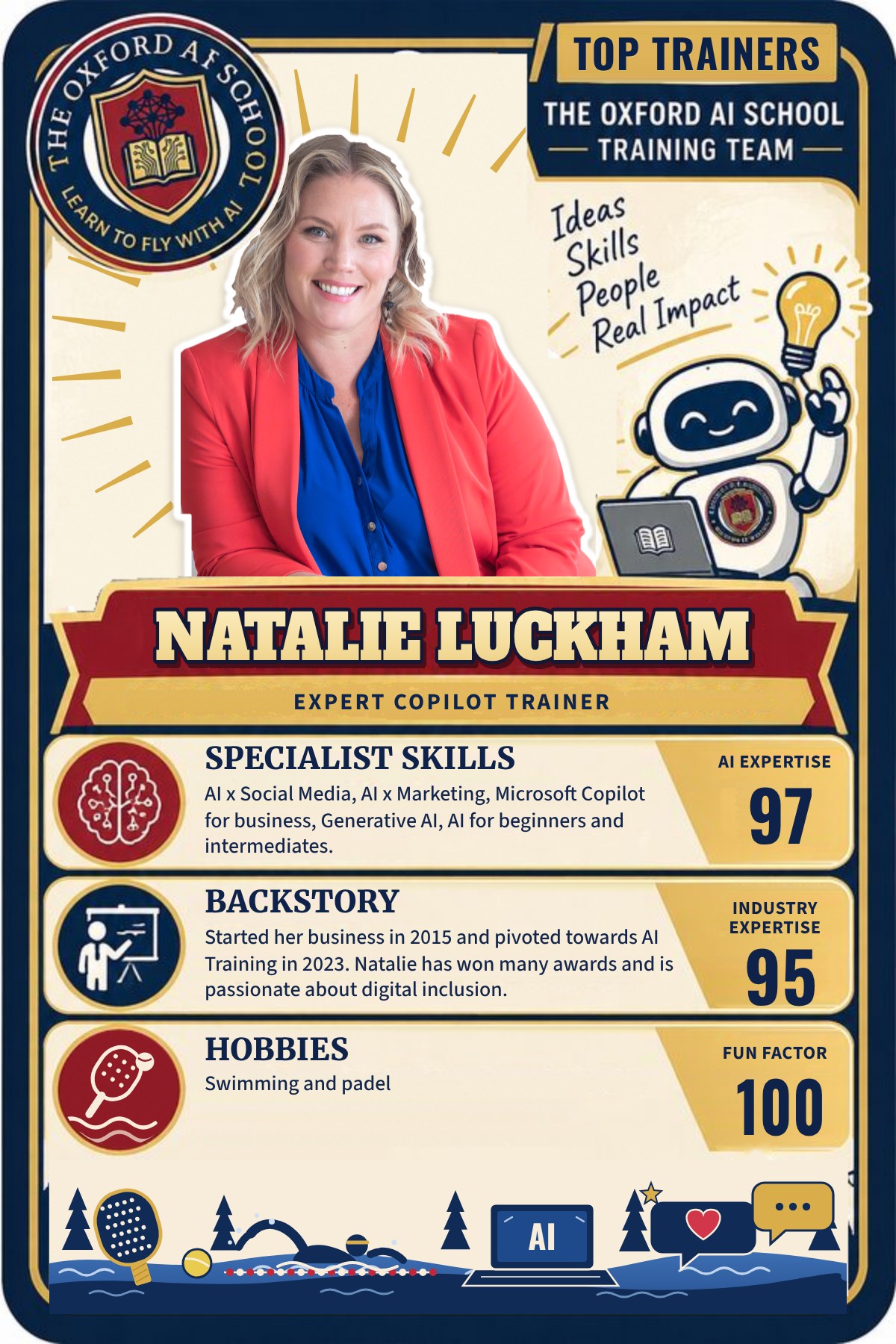
Top Trainers card for Natalie Luckham, Expert Copilot Trainer at The Oxford AI School. Specialist skills: AI x social media, AI x marketing, Microsoft Copilot for business, generative AI and AI for beginners and intermediates (AI expertise 97). Industry expertise 95. Hobbies: swimming and padel. Fun factor 100.
Your trainer

Meet Natalie Luckham

Specialist Microsoft Copilot training at The Oxford AI School is led by Natalie Luckham.

Natalie is the founder of the award-winning B Corp training business 'Naturally Social'. She gained her CIM Level 6 Award in AI marketing in January 2024.

Her jargon-free teaching style makes her sessions easy to understand, practical and effective for all team members, whether a one-person start-up or an international corporation.

Founder, Naturally SocialB CorpCIM Level 6 Award in AI marketing

See Natalie's Top Trainers card on Our Team

More Copilot training

Four more ways to train with Natalie.

In addition to the Half Day Copilot Deep Dive module, Natalie can also train you and your team in the following modules:-

POA

Intro to Copilot for 365

Online or in person, 2 hours.

The quickest way into Copilot. A short session that shows your team what it is, where to find it and what to ask first.

POA

Ultimate Copilot for work: Essentials

6 week online course, each session 60 to 90 minutes. Or face to face over 1 to 2 days.

The full working method, built up a step at a time so it sticks between sessions.

POA

Building Copilot Agents

1 day workshop.

Build agents that take on the repeat jobs your team keeps doing by hand.

POA

Building Agents in Copilot Studio

1 day workshop.

Go further in Copilot Studio and build agents tailored to how your business actually runs.

Who it's for

Built for any team on Microsoft.

If your people spend their days in Word, Excel, Outlook and Teams, this pays for itself. No coding and no jargon.

One-person start-ups Small businesses Marketing teams Operations and admin Leadership teams International corporations
Questions

Microsoft Copilot Deep Dive: your questions answered.

What is the Microsoft Copilot Deep Dive?

It is a half-day training module from The Oxford AI School, led by Natalie Luckham. It teaches teams to use Microsoft Copilot properly in the apps they already work in, in plain English, with practical exercises rather than slides and jargon.

Who teaches the Copilot Deep Dive?

Natalie Luckham leads all specialist Microsoft Copilot training at The Oxford AI School. She is the founder of the award-winning B Corp training business Naturally Social and gained her CIM Level 6 Award in AI marketing in January 2024.

Do we need to be technical to attend?

No. Natalie's jargon-free teaching style makes sessions easy to understand, practical and effective for all team members, from a one-person start-up to an international corporation. If you can use Word and Outlook, you can use this.

How much does the Copilot Deep Dive cost?

Pricing is on application (POA), because it depends on your team size, location and whether you want it online or in person. Book a free introductory call and we will come back with a clear price.

What other Copilot training can Natalie deliver?

Natalie also trains teams in Intro to Copilot for 365 (2 hours), Ultimate Copilot for work: Essentials (6 weeks online, or face to face over 1 to 2 days), Building Copilot Agents (1 day workshop) and Building Agents in Copilot Studio (1 day workshop). All are priced on application.

Is the Copilot Deep Dive delivered online or in person?

Both. The session runs live online wherever your team is, or in person at your offices. We are based near Witney in Oxfordshire and regularly train teams in London, across the South East and throughout the UK.

How is the Copilot Deep Dive different from the AI Basics Deep Dive?

The AI Basics Deep Dive compares five AI tools, including Claude, ChatGPT, Gemini, Perplexity and Copilot, and helps teams choose between them. The Microsoft Copilot Deep Dive spends the whole half day inside Microsoft 365, getting your team properly fluent with Copilot in Word, Excel, Outlook and Teams.
Keep learning

More Copilot and Microsoft 365 training resources.

Guides from the AI Learning Hub and related programmes to help your team get more from Microsoft Copilot.

More Microsoft Copilot guides

Related team programmes

Training near you

Book Natalie

Ready to get your team using Copilot properly?

Tell us about your team and we will come back with a plan and a price. The kettle is already in the kitchen.