GEO & AI Search28 August 2026·By Harry Lang·14 min read
A practical nine-step guide to GEO and AEO, covering prompt research, answer-first content, authority, technical discoverability, schema and AI visibility measurement.
Read the GEO guide →
AI for Startups28 August 2026·By Harry Lang·8 min read
How startups actually use AI to move faster with fewer people, from product and marketing to support and fundraising. A practical guide for founders, no hype.
Read the guide →
AI Training28 August 2026·By Harry Lang·7 min read
Founders are busy and AI seems intuitive, so is training worth it? An honest look at what AI training gives a startup team, and when to skip it and just get on.
Read the guide →
AI for Business28 August 2026·By Harry Lang·8 min read
How owners and founders use AI to grow output without adding headcount, by handing repetitive work to AI and freeing people for what only humans do.
Read the guide →
AI Training28 August 2026·By Harry Lang·7 min read
Practical AI training in London for founders, startups and business owners. In person across the capital and live online, built around your real work.
Read the guide →
AI Training28 August 2026·By Harry Lang·7 min read
Practical AI training for businesses in Manchester and Birmingham, in person and live online, built around your real work. For owners, founders and teams.
Read the guide →
Public Sector AI28 August 2026·By Harry Lang·9 min read
Practical AI training for government departments, councils and public sector teams. Real skills, taught safely, with proper attention to data and governance.
Read the guide →
Public Sector AI28 August 2026·By Harry Lang·8 min read
A practical guide to how civil servants and government staff can build AI skills safely, what to learn first, and how departments can train teams responsibly.
Read the guide →
AI Strategy28 August 2026·By Harry Lang·9 min read
A practical, jargon-free guide to writing an AI strategy for your business: where to start, what to include, and how to turn it into real action.
Read the guide →
AI Strategy28 August 2026·By Harry Lang·8 min read
How to measure the ROI of AI in your business: what to count, a simple method that works, and the softer returns that don't show on a spreadsheet.
Read the guide →
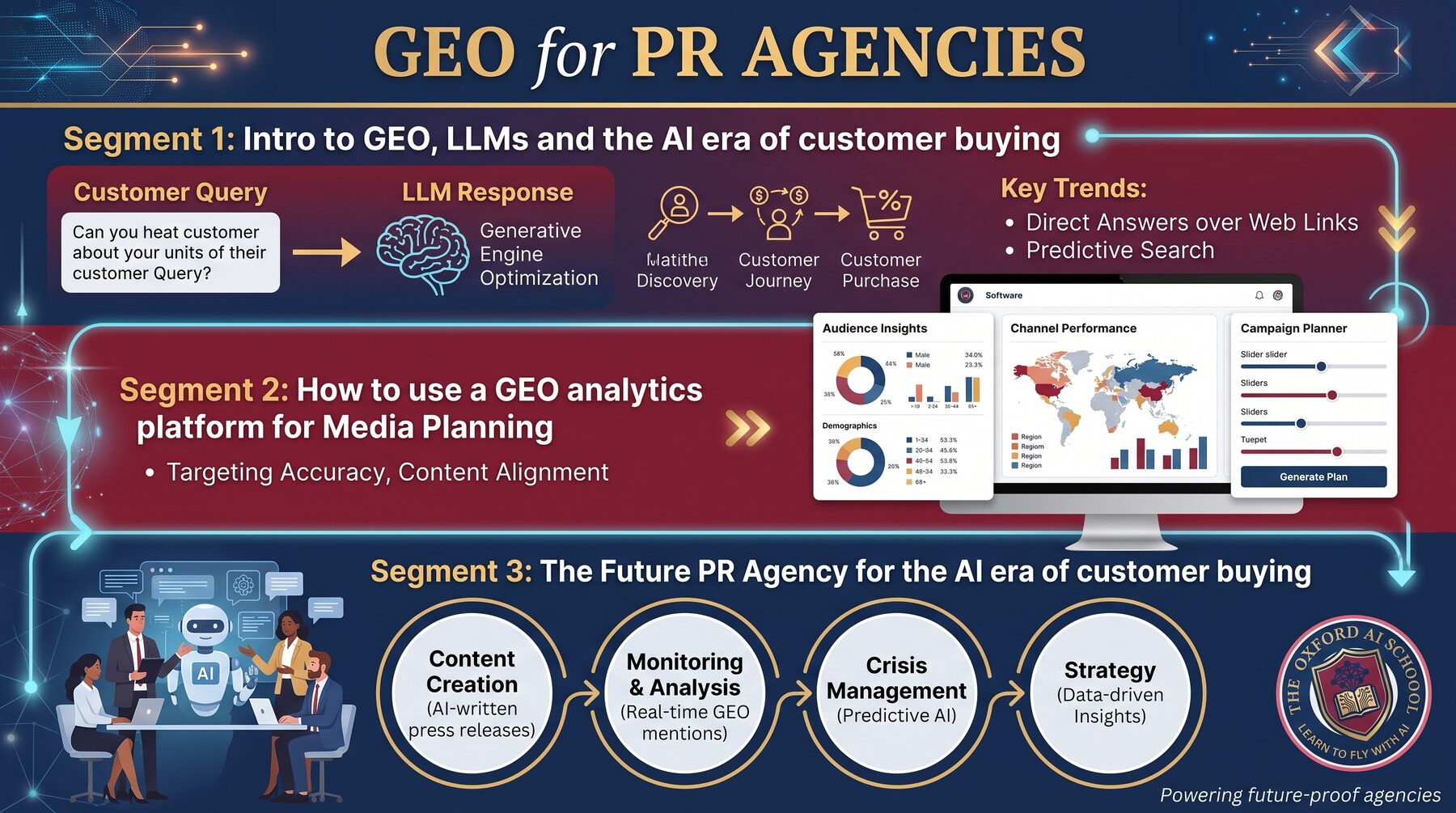
GEO · PR Agencies26 August 2026·By Harry Lang·10 min read
PR already owns the hardest part of generative engine optimisation: earning credible third-party authority. So why are agencies allowing GEO to be framed as an SEO add-on? A practical argument for training the team, building a cross-functional operating model and piloting the service before putting it in the pitch deck.
Read the article
Marketing & AI23 August 2026·By Harry Lang·9 min read
Thousands of marketing emails, most of them the same five tips in a new jacket. Here are the ones worth your inbox – 40+ ranked across four tables: the best free marketing newsletters in the UK, the best marketing blogs in Europe, the best AI marketing newsletters, and the best in the world. Plus an FAQ on starting your own.
Read the article
Press Release15 August 2026·By Harry Lang·6 min read
Every single review of The Oxford AI School published on Trustpilot is a five-star review. The launch announcement in full – why a marketing veteran started a school to teach basic AI to farmers, solicitors, publicans and small business owners, what the training costs, and the verified feedback from the people who have already been through it.
Read the announcement
Opinion · AI Training18 August 2026·By Harry Lang·7 min read
Your team is sitting on the most powerful tool since the internet, and most of them are using it to write slightly better emails. We handed the workforce a Ferrari and watched them drive it to Lidl in second gear – 75% of AI-using businesses report better productivity, but only 12% see any more revenue. Why most corporate AI training is theatre, why ‘basic’ AI training is actually the whole game, what the best AI training for a business really looks like, and what it should cost across London and the South East.
Read the article
AI Policy & Governance30 July 2026·By Harry Lang·Free Word template
Your team is already using AI. The only real question is whether they are following your rules or making up their own. The fifteen questions we get asked in the room, answered in full – do I need one, is it legally required, what should it include, how do I stop staff pasting client data into ChatGPT – plus a free AI policy template you can download as a Word document and complete this afternoon.
Read the guide and get the template
AI Policy & Governance30 July 2026·By Harry Lang·9 min read
Most AI policies I read were written to be filed, not followed. There is no single UK AI Act to comply with, which confuses people into either doing nothing or paying for a document nobody reads. This is the five decisions a governance framework actually has to make – approved tools, the data red line, which calls stay human, who owns it, and how you would prove any of it – plus how to get it written in a day.
Read the article
AI Policy & Governance30 July 2026·By Harry Lang·10 min read
Lawful, ethical and robust is the definition of trustworthy AI. Govern, Map, Measure and Manage is the method the NIST AI Risk Management Framework gives you to get there. Here is what both mean in a business with actual work to do on Monday, including how to measure whether a tool is reliable enough to use, and why alignment failures in real companies are far more mundane than the debate suggests.
Read the article
AI Policy & Governance30 July 2026·By Harry Lang·10 min read
The question that catches businesses out is never whether they are allowed to use AI. It is ‘show me what happened’, eight months later, from somebody who is not pleased. Compliance is proving it, auditing is checking it, and explainability is being able to say why. The records that make this survivable fit on a spreadsheet, and the audit takes ninety minutes twice a year.
Read the article
Free Tool29 July 2026·By Harry Lang·9 min read + 2 min tool
Most people pick the first AI tool they come across and learn as they go – then wonder why AI feels like more effort than it saves. Answer ten quick questions about your actual job and this free tool hands you a short, sensible stack: the tools worth your time, whether the free tier will do, and which model to reach for when the work matters. Plus the five layers every good AI stack has, and the data rules to follow if your work is confidential.
Build your stack

AI in Oxfordshire24 July 2026·By Harry Lang·7 min read
Twenty minutes from the UK’s first AI Growth Zone at Culham, ordinary Oxfordshire businesses are quietly stuck in 2019. AI in Oxford is booming; AI for the ordinary Oxfordshire business is barely happening. The gap is not about skill – it is about access. Here are the real blockers, and a simple six-step plan to get any small business AI enabled with basic AI training in Oxfordshire.
Read the article
Learning AI, Explained22 July 2026·By The Oxford AI School·15 min read
The 40 questions people ask most about learning AI for work in 2026 – answered plainly. Will AI take your job? Is it too late to start? How do you train a team without breaking the budget? Straight, jargon-free answers on job security, salaries, choosing a course, and getting your small business using AI without wasting money.
Read the article
AI Search, Explained14 July 2026·By The Oxford AI School·7 min read
Ask anyone in marketing how to get visible in ChatGPT and they will tell you to post on Reddit. So we checked. Reddit matters far more than most people realise, and far less than the loudest voices claim – and it depends entirely on which AI you ask. A data-led look at ChatGPT, Perplexity and Gemini, and what it means for getting your brand found by AI.
Read the article
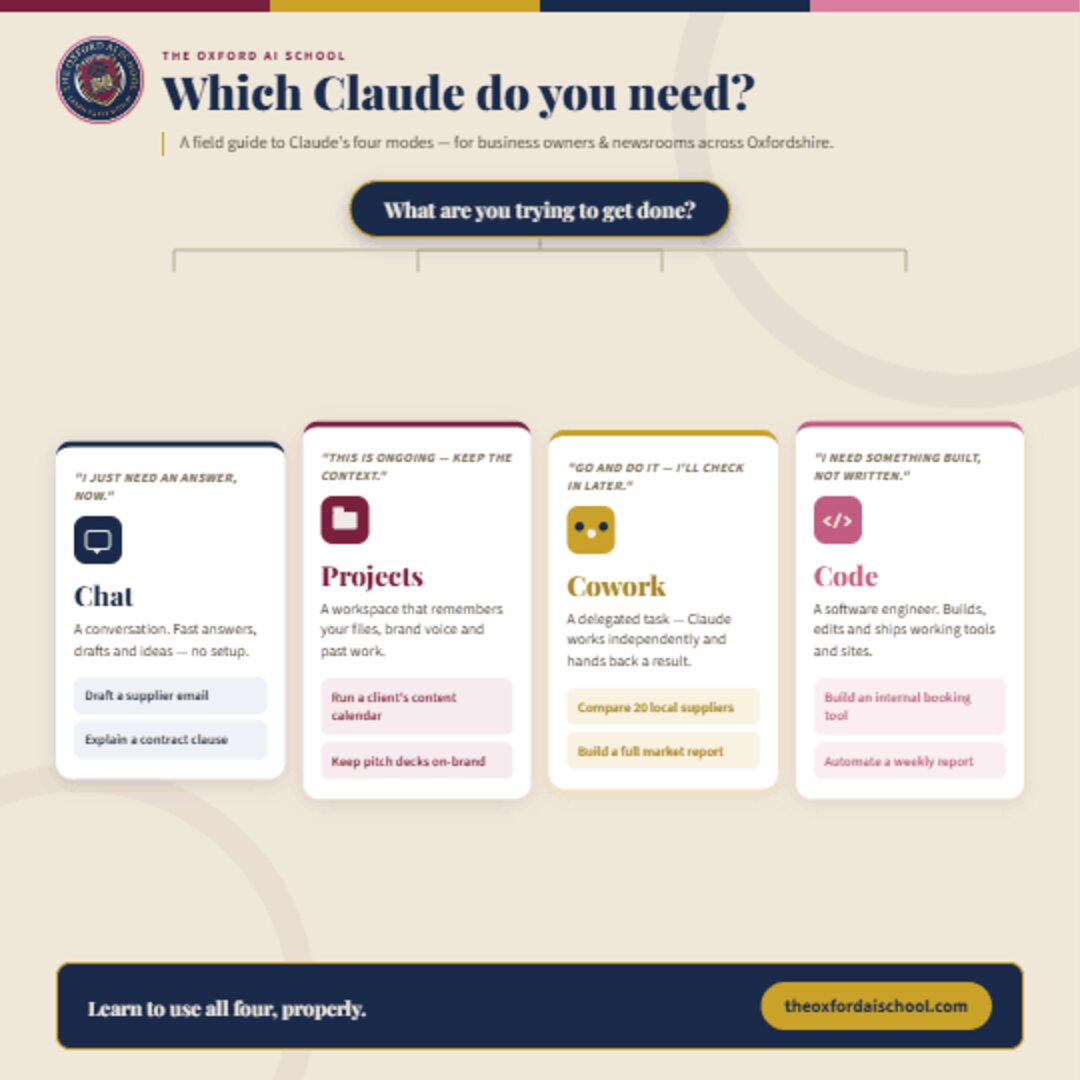
AI Tools, Explained9 July 2026·By The Oxford AI School·6 min read
Claude isn’t one product anymore – it’s four. A short field guide to the best way to use Chat, Projects, Cowork and Code, so the right tool picks itself. Chat for a fast answer, Projects for recurring work, Cowork to hand off a whole task, and Code to build something that actually works.
Read the article
Marketing Unfiltered1 July 2026·By Harry Lang·8 min read
When a constant raft of low-cost AI tools meets ever-simpler usability, everyone can work bigger, better, smarter and faster. Twin that with a global power race, and we’ve got a problem. A no-nonsense reality check on the real value and the real cost of the AI gold rush.
Read the article

Founder Story16 June 2026·By Harry Lang·12 min read
From unhappy CMO to start-up teacher in 24 hours: Harry explains the career pivot, pressure and purpose behind launching practical AI training for local SMEs.
Read the article
For Business10 June 2026·By Harry Lang·4 min read
5 AI Tasks Every Small Business Should Automate First
When people ask where to start with AI, the honest answer is: start where it saves you the most boring time, fastest. These are the five jobs we help small businesses hand to AI first — in roughly the order they pay off.
1. First drafts of emails and replies
Most teams lose an hour or more a day to the inbox. Paste the message you received, tell the AI the outcome you want and the tone to use, and let it produce a first draft. You stay in control — you read, tweak and send — but you skip the blank-page part that eats the time.
2. Turning notes into finished documents
Meeting notes, voice memos and rough bullet points become clean proposals, summaries and reports in seconds. The trick is to give the AI your raw material and a clear instruction about the format you need, rather than asking it to invent facts.
3. Repurposing one piece of content into many
A single blog post or recorded talk can become a newsletter, five social posts and a short video script. AI is at its best when it is reshaping content you already have, so your marketing output multiplies without multiplying your hours.
4. Researching and summarising
Long PDFs, competitor websites and dense reports can be summarised into the three things you actually need to know. Tools like Claude and Perplexity are excellent here — just remember to sense-check anything you will rely on.
5. Cleaning up and analysing data
Spreadsheets, customer lists and survey responses can be tidied, categorised and analysed in plain English — no formulas required. This is often the task that surprises people most, because it used to need a specialist.
The takeaway: pick one of these, try it this week, and build the habit before adding the next. Most of our clients save 10+ hours per person per week once these five are in place. Want help getting started? See our AI training for business or book a free intro call.
Tools5 June 2026·By Harry Lang·5 min read
ChatGPT vs Claude vs Gemini: Which AI Should You Actually Use?
It is the question we are asked in almost every session. The honest answer is that the three leading assistants are all excellent, and the best one is usually the one you will actually open. But here is how we help people choose.
ChatGPT (OpenAI)
The best-known and the most versatile all-rounder. Brilliant for brainstorming, images, voice conversations and a huge ecosystem of add-ons. If you want one tool that does a bit of everything and the widest range of features, this is a safe first choice.
Claude (Anthropic)
Our go-to for writing, careful analysis and working with long documents. Claude tends to produce natural, thoughtful prose and is excellent when the quality and tone of the words really matter — proposals, reports, sensitive emails and detailed reading.
Gemini (Google)
The natural pick if you live in Gmail, Docs and the rest of Google Workspace, because it is built right into the tools you already use. Strong for research and for anyone who wants AI woven into their existing day rather than in a separate tab.
So which one?
For most individuals and small teams we suggest starting with one tool, learning it properly, and only adding a second once the first is a habit. Don't agonise over the choice — the gap between the tools is far smaller than the gap between using AI well and not using it at all. We teach all three, and help you match the tool to your actual work.
Explore our programmes to learn Claude, ChatGPT, Gemini, Perplexity and Copilot hands-on.
Beginner28 May 2026·By Harry Lang·4 min read
How to Write Better AI Prompts: A Beginner's Guide
If your AI answers feel generic, the problem usually isn't the tool — it's the instructions. Here is the simple four-part recipe we teach in every session for getting genuinely useful results out of any AI.
- Role — tell the AI who to be. "You are an experienced bookkeeper" or "Act as a friendly copywriter" instantly sharpens the answer.
- Task — say exactly what you want it to do, in one clear sentence. Vague in, vague out.
- Context — give it the raw material and the background: who it's for, the tone, any facts it must use. This is the step most people skip, and the one that makes the biggest difference.
- Format — describe what good looks like: "a 150-word email", "five bullet points", "a table with three columns".
Put together, a weak prompt like "write a marketing email" becomes: "You are a friendly copywriter for a small Oxfordshire bakery. Write a 120-word email announcing our new sourdough, warm and not salesy, ending with a clear call to visit this weekend." The difference in quality is night and day.
One more tip: treat it as a conversation. If the first answer isn't quite right, tell the AI what to change rather than starting again. That back-and-forth is where the real magic happens.
Want to practise live with a coach? See our 1:1 sessions for individuals.