The most common thing people say to me at a first session is: I feel like I am the last person who hasn't figured this out. You are not. A lot of people have opened ChatGPT, typed something faintly embarrassing, and closed the tab.
To get started with prompting AI, pick one free tool, give it a real task from your week, and add context until the answer is useful. Then save the prompts that worked. Most people reach a confident working level in about four weeks of ten-minute daily practice. It is conversation, not coding.
This page is the antidote. It is the order I would do things in if I were starting today, with no jargon and no homework that takes more than ten minutes.
What is prompting, in plain English?
A prompt is whatever you type to an AI tool. Prompting is the habit of typing it well. That is all. Not coding. Not secret phrases. The same skill you use briefing a new colleague: say what you need, why, and what good looks like.
Which AI tool should you start with?
One. Pick one and stay with it for a week. The big five are ChatGPT, Claude, Gemini, Copilot and Perplexity. All have free ways to start, though limits and features change, so check the current offer.
| If you... | Try | Because |
|---|---|---|
| Want the most familiar all-rounder | ChatGPT | Biggest user base, loads of guides |
| Write or read long documents | Claude | Strong on careful writing and long text |
| Live in Google Workspace | Gemini | Sits close to Gmail and Docs |
| Live in Microsoft 365 | Copilot | Sits inside Word, Outlook and Teams |
| Need sourced research | Perplexity | Shows its sources by default |
The four-week plan
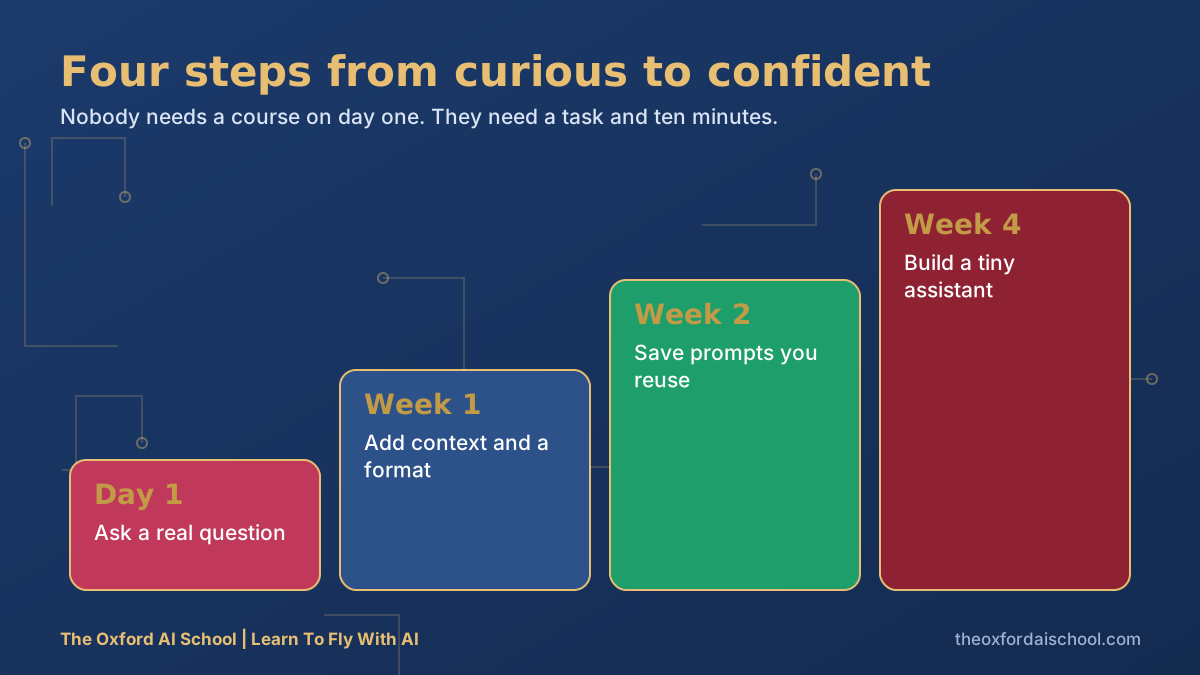
Day one: ask a real question
Not 'tell me a joke'. A real thing from this week: an email you are dreading, a document you have not read, a decision you keep putting off.
Five first prompts to try today
1. Summarise this in five bullets for a busy reader: [paste]
2. Rewrite this email so it is shorter and friendlier, but still clear about the deadline: [paste]
3. I need to decide between [A] and [B]. Ask me five questions before you give a view.
4. Explain [topic] to me like I am clever but new to it.
5. What is the biggest weakness in this plan? [paste]
Week one: add context and format
Every time you are disappointed, add one line. Who is it for? What do you already know? How long? What format? You will see the quality jump. Our twenty best ChatGPT prompts show the pattern repeatedly.
Week two: save what works
Keep a document called 'Prompts that worked'. Paste in the three you use most. By Friday you will have a toolkit rather than a habit of starting from zero.
Week four: build a tiny assistant
Turn your best prompt into something reusable: a Custom GPT, a Claude Project or a Claude Skill. This is when it stops feeling like a gadget and starts feeling like a colleague.
Seven mistakes every beginner makes
- Judging the whole technology on one lazy prompt.
- Never saying who the answer is for.
- Accepting the first answer. Ask for a second pass.
- Trusting facts without checking, especially numbers, quotes and legal points.
- Pasting confidential information. Check your organisation's policy first.
- Using five tools at once and learning none.
- Waiting until you feel ready. You will never feel ready.
AI can be confidently wrong. It is a brilliant first draft and an unreliable final word. If something matters, check it. For safe habits, read how to keep information safe using AI tools.
Want the whole thing in one book?
I wrote Learn To Fly With AI for exactly this: the plain-English, no-fear version of everything on this page, warts included.
Not even opened a tool yet? Start with Day 1 using Claude, ChatGPT and Copilot, and if tech feels daunting, how to learn AI without a technical background.
Prompting AI: how to start: frequently asked questions
How do I start prompting AI as a complete beginner?
Pick one free AI tool, give it a real task from your week, and add context until the answer is useful. Save the prompts that work. Ten minutes a day for four weeks is enough for most people to feel confident.
What is a prompt?
A prompt is what you type or say to an AI tool. Good prompts say what you need, who it is for, what you already know and what format you want back.
Do I need to learn prompt engineering?
Not as a technical discipline. Everyday prompting is plain-English briefing. A few habits, such as giving context and asking for a format, get most of the benefit.
Which AI should a beginner use first?
Whichever you will actually open. ChatGPT, Claude, Gemini and Copilot all have free options. Pick one, use it for a week, and compare others only after you are comfortable.
Is it safe to use AI at work?
Yes, with sensible rules. Do not paste passwords or sensitive personal or client data, check your organisation's policy, and verify important facts yourself.
Where can I get beginner AI training in the UK?
The Oxford AI School runs Basic AI Training for individuals and teams across the UK, in person and online.

Harry Lang runs The Oxford AI School in Witney, Oxfordshire. A former CMO, he now teaches teams and individuals across the UK to use AI in plain English, on their own real work. Email Learn@TheOxfordAISchool.com.