Business AI field guide · Part 3 of 5
OpenAI Canvas vs Claude Artifacts
A working draft on one desk. A small thing you can try on the other.
There is a point in a chat where you ask for one sentence to change and receive the entire document again, complete with three new mistakes. An editing workspace helps. So does a separate preview when the thing you are making has buttons.

Canvas for close editing
Canvas is an editing interface in ChatGPT for writing and code. OpenAI’s introduction describes selecting a passage and asking for a targeted change, alongside direct editing. Try it when you need to revise a proposal, untangle an awkward opening or work through a code draft with someone looking over your shoulder.
A Canvas editing task
Open a Canvas for this draft [draft]. First identify two paragraphs that delay the main point. Suggest a shorter opening using the supplied facts. Keep the rest in place while I review the opening.
Check names, figures and commitments after every material edit. A smoother sentence can quietly make a bigger promise.
Artifacts for a self-contained result
Claude Artifacts can contain documents, diagrams, code and interactive tools. Ask for a standalone result and use its preview where supported. Anthropic distinguishes current Artifacts from legacy ones created before 16 September 2026, so use its current guide when older tutorials show a different interface.
An Artifact prototype task
Create a standalone interactive Artifact for a fictional workshop booking estimate. Use these example rates [rates]. Provide a participant input, an itemised total and three example cases I can check by hand. Use fictional data and keep it self-contained.
Try empty values, zero participants and the largest number you reasonably expect. See whether the results still make sense before demonstrating it.
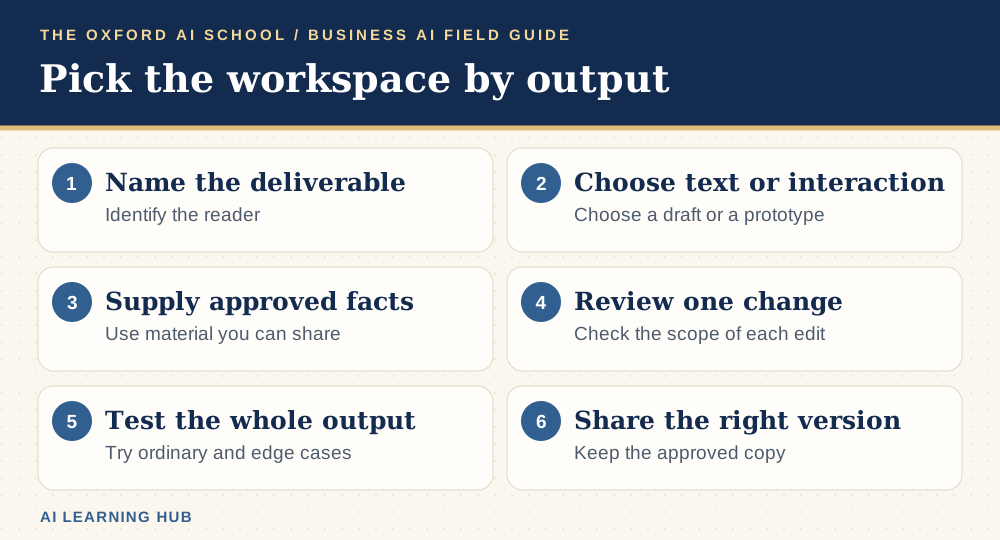
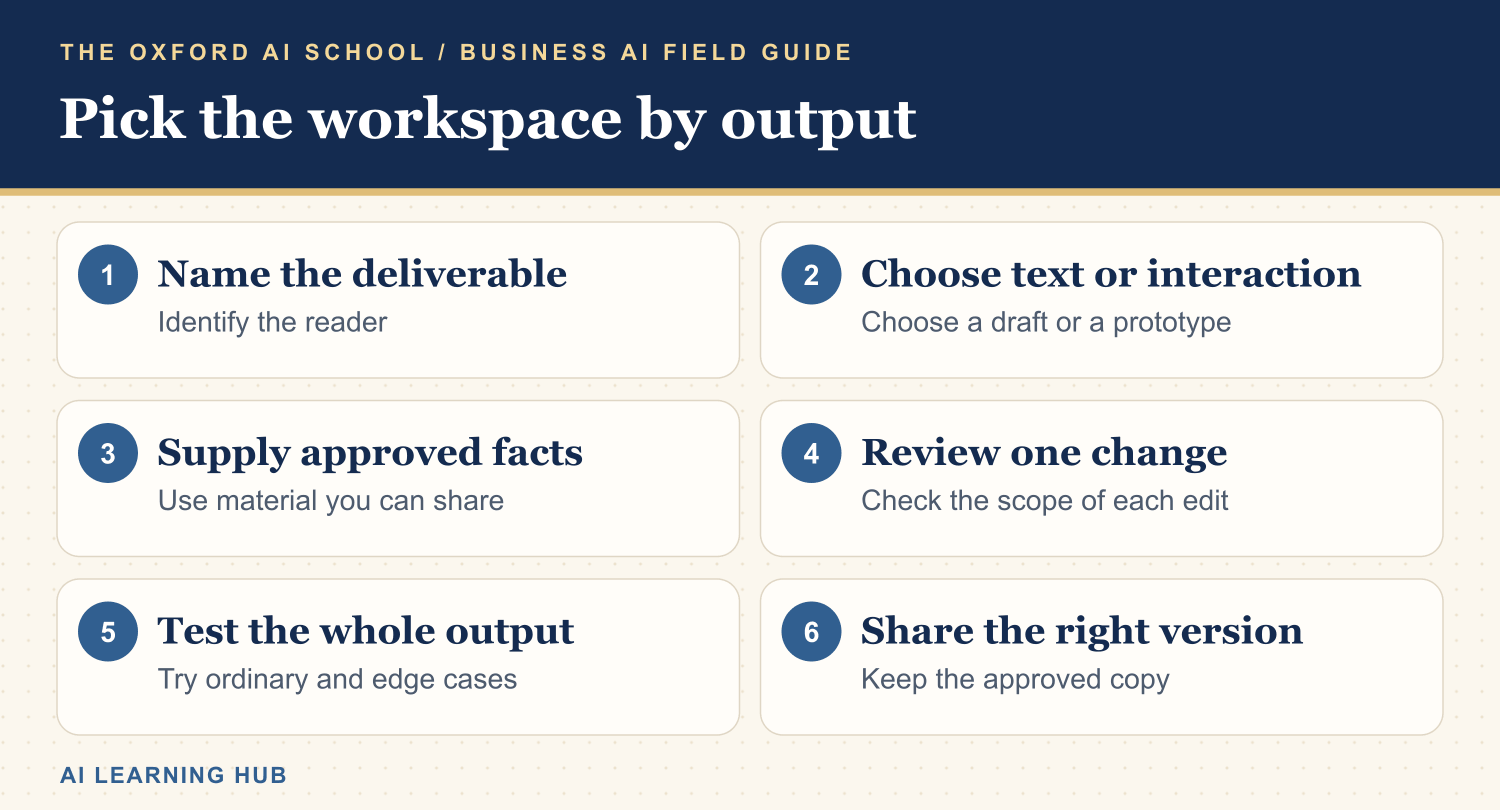
Read the infographic as text
- Name the deliverable: Identify the reader.
- Choose text or interaction: Choose a draft or a prototype.
- Supply approved facts: Use material you can share.
- Review one change: Check the scope of each edit.
- Test the whole output: Try ordinary and edge cases.
- Share the right version: Keep the approved copy.
Which would I try first?
| Job | Start by trying | Test |
|---|---|---|
| Edit a specific part of a draft | Canvas | Does the edit preserve facts and surrounding text? |
| Develop a standalone demonstration | Artifacts | Can somebody complete the task in the preview? |
| Create a handover document | Both | Can a colleague open, revise and reuse it? |
| Work on code | Both | Does the code pass the same tests in your environment? |
Both products evolve. Check availability in the account and device you will use for the real job.
Keep a tidy handover
Give the output a name, a date and one person responsible for review. Check which material can be shared and how the recipient will access it. Keep a copy of the approved version in your normal work system. “It was in a chat somewhere” is a perfectly accurate description of how half a morning disappeared.
For more drafting practice, read how to use Claude effectively or try the AI Prompting Masterclass guides.
Keep learning: Business AI field guides
The five-part series
More from the AI Learning Hub
Sources and product notes
Official product information checked on . Examples and prompts are for practice. Access and controls can change by plan, platform and account.
Frequently asked questions
Is Canvas the same as Claude Artifacts?
They overlap. Canvas emphasises editing inside ChatGPT. Artifacts give Claude outputs a separate place to develop, preview or share.
Can Canvas work with code?
Yes. OpenAI documents Canvas for writing and coding. Check the supported features in your account.
Which should I use for a demo?
Try an Artifact if the audience needs to interact with a standalone prototype. Check its calculations and sharing settings before the demo.